Exploring Popular Stable Diffusion Versions: Auto1111, EasyDiffusion, and ComfyUI
Stable Diffusion has revolutionized AI-generated art, and several user interfaces (UIs) have emerged to make it more accessible. Let’s dive into three popular versions: Auto1111, EasyDiffusion, and ComfyUI, discussing their pros and cons and what sets each apart.
Auto1111 (Automatic1111)
Pros:
User-Friendly Interface: Designed to be easy to navigate, making it accessible for beginners and experts alike.
Strong Community Support: Regular updates and a large community contribute to its development and offer support.
Customization Options: Offers a wide range of settings to fine-tune your models.
Extensions and Plugins: Supports various extensions to enhance functionality.
Cons:
Complexity: The extensive list of features can be overwhelming for new users.
Less Flexibility: Compared to ComfyUI, it offers less flexibility for creating custom workflows.
EasyDiffusion

Pros:
Simplified Installation: Makes it easy for non-technical users to install and use Stable Diffusion.
User-Friendly Interface: Allows detailed image creation with modifiers.
Efficiency: Optimized to run faster on less VRAM.
Cons:
Limited Customization: Offers fewer customization options compared to Auto1111 and ComfyUI.
Platform Dependency: Best performance on Windows, with some issues on macOS and Linux.
ComfyUI

Pros:
Backend Focus: Allows for lower resource usage and better VRAM efficiency.
High Customization: Extremely customizable, allowing users to build workflows to do anything in any order.
Cutting-Edge Features: Often faster and better with VRAM use, supporting the latest Stable Diffusion models.
Cons:
Steep Learning Curve: More difficult to use compared to Auto1111 and EasyDiffusion.
Complex Setup: Requires more technical knowledge to set up and use effectively.
Each version has its strengths and weaknesses, catering to different user needs. Whether you’re a beginner looking for simplicity, a mid-level user seeking flexibility, or an advanced user wanting cutting-edge features, there’s a Stable Diffusion UI for you.
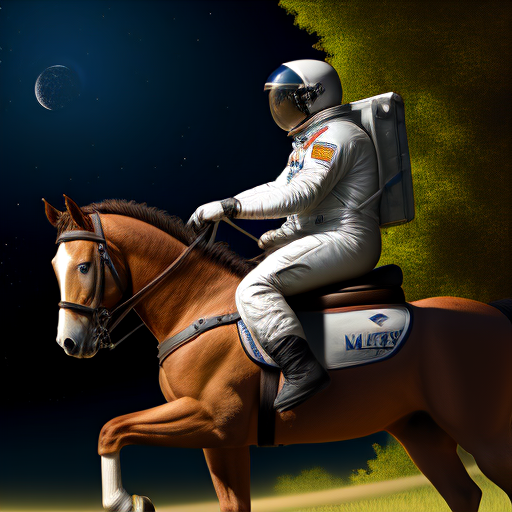
The 3 pictures used the same prompt as they are text to image generated and also used the same model and the configurations were as close to each other as possible.